Understanding exactly how many backlinks a site has is far more than just a curiosity; it’s a fundamental component of search engine optimization (SEO) strategy in 2026. For anyone serious about improving their website’s visibility on Google, knowing your backlink count—and that of your competitors—provides invaluable insights into domain authority, content relevance, and overall search performance. This isn’t just about a raw number; it’s about dissecting a critical signal that search engines use to determine where your content ranks. Let’s delve into the practical methods and underlying reasons for analyzing backlink profiles.
Why Understanding Your Backlink Count Matters for SEO
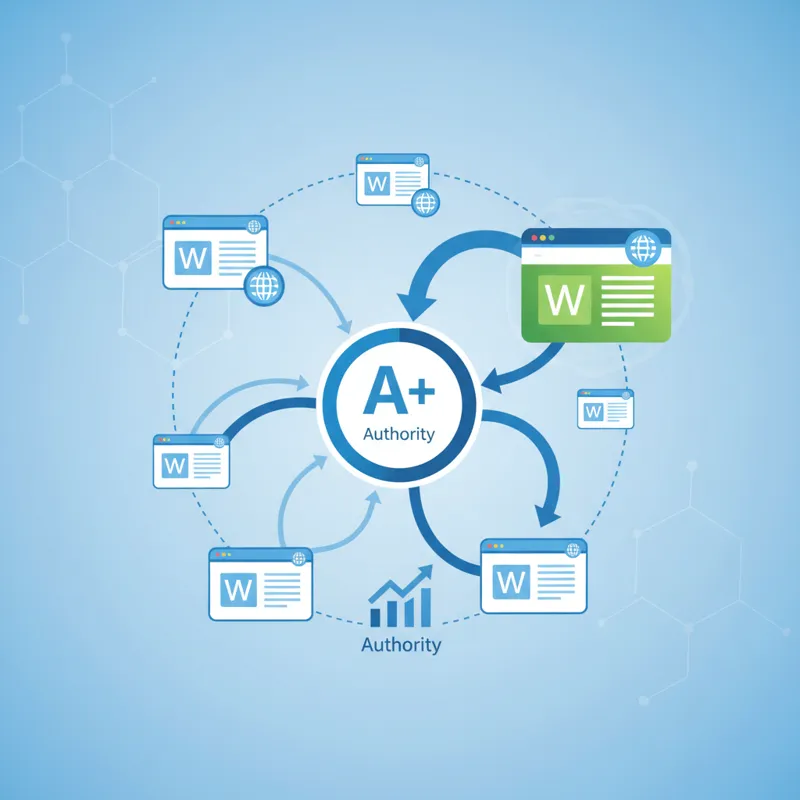
In the ever-evolving landscape of search engine algorithms, backlinks remain a cornerstone for establishing a website’s authority and trustworthiness. When another website links to yours, it acts as a vote of confidence, signaling to search engines like Google that your content is valuable, credible, and relevant. The more high-quality, authoritative sites that link to you, the stronger this signal becomes. Google interprets these links as endorsements, which directly influences your site’s ranking potential.
Beyond just the “vote” analogy, backlinks are pathways through the internet. They help search engine crawlers discover new content and understand the relationship between different websites. A robust and natural backlink profile indicates a healthy, respected presence online. Conversely, a weak or unnatural profile can hinder your ability to rank, regardless of how good your on-page SEO might be. This is why continuously evaluating your backlink profile for good backlinks for SEO is a non-negotiable part of any digital marketing strategy. It’s not just about having links, but having the right kind of links that genuinely pass authority and relevance.
The Nuance of “How Many Backlinks Does a Site Have”
A comparison chart visually distinguishing between “Total Backlinks” and “Referring Domains,” emphasizing that referring domains are a more impactful metric for SEO.
When you set out to determine how many backlinks a site has, it’s easy to get caught up in the raw, impressive figures. However, a simple number often tells an incomplete story. A site might boast thousands of backlinks, but if those links originate from only a handful of websites, their impact is significantly different than if they came from thousands of unique sources.
This distinction brings us to two critical metrics:
-
- Total Backlinks: This is the cumulative count of every single link pointing to your site. If one website links to you ten times, that counts as ten backlinks.
- Referring Domains: This metric represents the number of unique websites that link to your site. Using the previous example, if one website links to you ten times, it still only counts as one referring domain.
Search engines place a much higher value on referring domains because they signify a broader consensus of authority and trust across different web properties. Think of it like a reputation: would you rather have one person praising you loudly ten times, or ten different people each praising you once? The latter implies a more widespread, diverse, and thus more convincing reputation. Understanding this difference is crucial when you analyze how many backlinks a site has, especially during competitive analysis. It also highlights the importance of the quality, relevance, and anchor text used in those links, not just their sheer volume.
Essential Tools to Check Backlinks (Free & Paid Options)

A collage of popular SEO tool logos (Google Search Console, Ahrefs, SEMrush, Moz, Majestic), with a balanced representation of both free and paid options.
To effectively answer the question of how many backlinks a site has, you’ll need the right tools. There’s a range of options available, from free utilities that offer basic insights to comprehensive paid platforms that provide deep, granular data. Choosing the right tool depends on your budget, your technical expertise, and the depth of analysis you need.
Free Tools
These options are excellent starting points for individuals or small businesses looking to get a snapshot of their backlink profile without significant investment.
- Google Search Console (GSC): For your own website, GSC is indispensable. It’s a free service provided by Google that shows you how Google sees your site. Under the “Links” report, you can see your top linking sites, top linked pages, and the anchor text used.
-
- Strengths: Accurate data directly from Google, ideal for identifying issues on your own site.
- Limitations: Only works for websites you own and have verified. It doesn’t provide data for competitor sites.
-
- Free Versions of SEO Tools (e.g., Ahrefs Webmaster Tools, SEMrush Free Account, Moz Link Explorer Free): Many professional SEO tools offer limited free versions or trials that allow you to perform basic backlink checks. Ahrefs Webmaster Tools, for instance, lets you audit your own site’s backlinks for free. SEMrush’s free account can show you a snapshot of any domain’s backlink count and referring domains, though with data limits. Moz Link Explorer also offers a limited number of free searches per month.
-
- Strengths: Quick overview for your site or competitors, good for initial research.
- Limitations: Highly restricted data, limited queries, often lacks in-depth filtering or historical data.
-
Paid & Professional Tools
For serious SEO professionals, agencies, or businesses that require comprehensive data and advanced analysis, paid tools are a necessary investment. They offer unparalleled depth when you need to understand how many backlinks a site has and, more importantly, the quality and context of those links.
- Ahrefs: Widely regarded as one of the most powerful backlink analysis tools. Ahrefs’ Site Explorer provides a massive database of backlinks, referring domains, anchor text, new/lost links, and detailed metrics like Domain Rating (DR) and URL Rating (UR). It’s incredibly robust for competitive analysis.
-
- Key Features: Best-in-class backlink index, advanced filtering, historical data, broken link checker.
-
- SEMrush: A comprehensive SEO suite that includes a powerful Backlink Analytics tool. SEMrush offers detailed reports on referring domains, backlink types, anchor text, and geographical distribution of links. It’s particularly strong for overall competitive intelligence.
-
- Key Features: Strong competitive analysis, toxic backlink audit, comprehensive site audit.
-
- Moz Pro (Link Explorer): Moz’s Link Explorer provides insights into Domain Authority (DA) and Page Authority (PA), alongside a backlink index. It helps identify high-authority linking opportunities and assess the overall strength of a backlink profile.
-
- Key Features: Focus on DA/PA metrics, Link Intersect tool to find competitor links you don’t have.
-
- Majestic SEO: Specializes exclusively in link intelligence, offering unique metrics like Trust Flow and Citation Flow. Majestic’s historical index is extensive, making it valuable for deep link research and identifying link quality.
-
- Key Features: Proprietary flow metrics, deep historical index, topic classification of links.
-
These professional tools not only tell you how many backlinks a site has, but they also empower you to dive into the specifics: which pages are linking, what anchor text they’re using, how strong those linking domains are, and when the links were acquired or lost. This level of detail is critical for strategic link building and identifying potential risks.
Step-by-Step: How to Find Your Site’s Backlink Count
Finding out how many backlinks a site has, whether it’s your own or a competitor’s, involves a straightforward process once you’ve chosen your tool. The methodology varies slightly between free and paid options, but the core objective remains the same: gather comprehensive link data.
Using Google Search Console (For Your Own Site)
-
- Log In: Go to Google Search Console and log in with the Google account associated with your website.
- Select Property: Choose the website property you want to analyze from the dropdown menu (if you manage multiple sites).
- Navigate to Links Report: In the left-hand navigation panel, scroll down and click on “Links.”
- Review Data: You’ll see several sections:
-
- Top linking sites: This lists the websites linking to yours, ordered by the number of links.
- Top linked pages: Shows which of your pages receive the most backlinks.
- Top linking text: Displays the most common anchor text used in inbound links.
- Export Data: You can download this data for further analysis by clicking the “Export” button in the top right corner.
-
While GSC gives you a reliable count directly from Google, remember its limitation: it’s only for your verified sites. It won’t tell you how many backlinks a competitor’s site has.
Using a Professional SEO Tool (e.g., Ahrefs or SEMrush)
For a complete picture, including competitor analysis, a paid tool is necessary. Let’s use Ahrefs as an example, though the process is similar across most leading platforms.
-
- Log In to Your Tool: Access your Ahrefs (or SEMrush, Moz, Majestic) account.
- Enter URL in Site Explorer/Domain Overview: Locate the main search bar (often labeled “Site Explorer” or “Domain Overview”) and enter the full URL or domain name you want to analyze. This could be your own site, a specific page, or a competitor’s domain.
- View Overview Report: The tool will generate a comprehensive overview. Look for key metrics prominently displayed, such as:
-
- Backlinks: The total number of links.
- Referring Domains: The number of unique websites linking to the URL.
- Domain Rating (DR) / Domain Authority (DA) / Authority Score: A proprietary metric indicating the strength of the domain.
- Dive into Backlinks Report: In the left-hand navigation, click on the “Backlinks” report (or similar, e.g., “Referring Domains” for unique sites). This is where you can see the actual list of links.
-
- Filter and Analyze: Here, you can apply various filters to refine your data:
-
- Dofollow/Nofollow: To see only links that pass “link juice.”
- New/Lost: To track recent changes in your backlink profile.
- Link type: Text, image, redirect, etc.
- Referring page/domain metrics: To sort by the strength or relevance of the linking site.
-
This granular data allows you to not only know how many backlinks a site has, but also to evaluate their quality, identify patterns, and uncover new link opportunities.
Analyzing Competitors: A Key Strategy
Understanding how many backlinks a site has becomes profoundly more strategic when you apply that knowledge to your competitors. Competitive backlink analysis is one of the most effective ways to reverse-engineer success in your niche and identify actionable opportunities for your own site.
Here’s why it’s so important:
-
- Benchmarking: It establishes a baseline for what’s “normal” or “successful” in your industry. If your top competitors have thousands of referring domains, and you only have hundreds, you know where you need to focus your efforts.
- Identifying Opportunities: By examining who links to your competitors, you can uncover potential linking prospects that might also be willing to link to you. These could be industry blogs, resource pages, directories, or news sites. This often involves a link building outreach service strategy.
- Understanding Link-Building Tactics: You can often infer your competitors’ link-building strategies by analyzing their backlink profiles. Are they getting links from guest posts? Forums? Local citations? Resource pages?
- Spotting Content Gaps: If competitors are getting a lot of links to a specific type of content (e.g., an ultimate guide, a unique tool, a research report), it suggests that topic is highly linkable and you might need similar or better content.
The process for analyzing competitors is almost identical to checking your own site with a professional tool. Simply input their domain into Ahrefs, SEMrush, or Moz, and then dive into their backlink and referring domains reports. Pay close attention to:
-
- Their top referring domains: Who are their most authoritative linkers? Can you get a link from them too?
- Their most linked pages: Which content pieces attract the most links? Why are they so successful?
- Their anchor text distribution: Are they optimizing for specific keywords? How natural does their anchor text look?
- Their new and lost links: What kind of links are they gaining or losing over time?
This proactive analysis helps you prioritize your own link-building efforts, focusing on targets that are already proven to link within your industry.
What Most People Get Wrong About Backlink Counts
When you start digging into how many backlinks a site has, it’s easy to fall into common traps and misinterpret the data. The raw numbers, while informative, don’t tell the whole story. Understanding these pitfalls is crucial for effective SEO.
Quantity Over Quality
This is, arguably, the biggest misconception. Many believe that simply accumulating the highest number of backlinks is the key to ranking. In reality, one highly relevant, authoritative link from a trusted website can be worth more than hundreds of low-quality, spammy links from irrelevant sites. Google’s algorithms are sophisticated enough to distinguish between valuable editorial links and manipulative, low-effort links. Focusing on quantity alone can actually harm your site, especially if it leads to an unnatural backlink profile.
Ignoring Referring Domains
As discussed earlier, confusing total backlinks with unique referring domains is a common mistake. A site might have 10,000 backlinks, but if 9,000 of those come from just five domains, the impact is significantly less than a site with 1,000 backlinks from 500 unique referring domains. The diversity of referring domains is a stronger signal of authority and trust than the sheer number of links from a limited pool of sites.
Forgetting Nofollow Links
For years, the conventional wisdom was that “nofollow” links (links with a rel="nofollow" attribute) didn’t pass “link juice” and were therefore useless for SEO. While they might not pass direct PageRank in the same way dofollow links do, Google clarified in 2019 that nofollow (along with ugc and sponsored attributes) are now considered “hints” for ranking. This means Google might still choose to crawl and use them as a ranking signal. More importantly, nofollow links still drive referral traffic and brand mentions, which can indirectly contribute to your SEO efforts and a diverse link profile. Dismissing them entirely is a missed opportunity.
Not Considering Link Velocity
Link velocity refers to the rate at which a website gains or loses backlinks over time. A natural backlink profile usually shows gradual, consistent growth. Sudden, massive spikes in backlinks, especially from low-quality sources, can look suspicious to Google and might even trigger a manual penalty. Conversely, a sudden drop in links could indicate a problem with your content, a lost domain, or a competitor’s aggressive campaign. It’s not just about the current count, but the trend.
Dismissing Link Relevance
A link from a website that is completely unrelated to your niche holds less value than a link from a highly relevant, industry-specific site. If you sell artisanal coffee, a link from a coffee enthusiast blog is far more powerful than a link from a website about car repair, even if the car repair site has a high domain authority. Relevance helps Google understand your site’s topic and increases the contextual authority passed through the link.
By moving beyond these common misconceptions, you can develop a more sophisticated and effective approach to analyzing and building your backlink profile, ensuring your efforts genuinely contribute to your SEO success.
Beyond the Number: What to Look for in a Backlink Profile
Knowing how many backlinks a site has is just the first step. The real strategic advantage comes from understanding the *quality* and *characteristics* of those links. When you evaluate a backlink profile, whether for your own site or a competitor’s, look for these critical factors:
-
- Referring Domains: As highlighted, this is paramount. A higher number of unique referring domains indicates a broader and more diverse vote of confidence, which Google values highly.
- Domain Rating (DR) / Domain Authority (DA) / Authority Score: These are proprietary metrics from tools like Ahrefs, Moz, and SEMrush that estimate the overall strength and authority of a linking domain. Links from sites with high DR/DA/AS carry more weight. Aim for links from strong, reputable sites.
- Anchor Text Distribution: The text used to create the hyperlink (the anchor text) is a strong signal to search engines about the topic of the linked page. A healthy profile has a natural mix of branded, naked URL, generic, and exact-match keywords. An over-optimization of exact-match keywords in anchor text can look manipulative and trigger penalties.
- Link Type (Dofollow vs. Nofollow): While dofollow links typically pass more direct authority, a natural backlink profile will always have a mix of both. An exclusively dofollow profile can appear unnatural.
- Link Placement and Context: The best links are editorial, meaning they are naturally placed within the main content of a relevant page, surrounded by contextual information. Links buried in footers, sidebars, or comment sections, especially if they appear sitewide, often hold less value and can sometimes be seen as spammy.
- Link Relevance: Are the linking websites relevant to your niche or industry? A link from a related industry publication is far more valuable than one from a completely unrelated blog, even if the latter has high authority.
- Link Velocity: A steady, natural growth in backlinks over time is ideal. Sudden, unexplained spikes or drops in backlink acquisition can be suspicious. Monitor this trend closely.
- Geographic Location of Linkers: For local businesses, links from local businesses or websites in the same geographical area can be particularly beneficial.
- Broken Backlinks: Tools can help you identify broken links pointing to your site. Fixing the linked-to page or redirecting the broken link can recover lost link equity.
By performing this deeper analysis, you move beyond merely checking how many backlinks a site has and start to understand the true impact and strategic value of its link profile. This depth of understanding is essential for any effective white hat link building strategy.
How Backlink Counts Change and What to Do About It
Backlink counts are not static. They are dynamic, constantly changing as the web evolves. Understanding why these numbers fluctuate and how to respond is a crucial part of ongoing SEO maintenance.
One common reason for changes is natural attrition. Websites get redesigned, pages get deleted, domains expire, or content is updated without preserving previous links. This is a normal part of the internet’s lifecycle, and every site will experience some degree of link loss over time. Your backlink profile will naturally decay if you don’t continually acquire new links.
Competitor growth is another factor. While your site might be gaining links, your competitors could be gaining them faster or from higher-quality sources, effectively widening the gap. This underscores the need for continuous competitor analysis and a proactive link-building strategy.
Sometimes, you might encounter bad or toxic backlinks. These are links from spammy, irrelevant, or low-quality websites that could potentially harm your site’s SEO. Tools like SEMrush and Ahrefs offer “toxic link” reports. If you identify such links, you might consider using Google’s Disavow Tool to tell Google to ignore them. This is a delicate process and should only be done if you are confident the links are genuinely harmful and unnatural.
The most effective way to manage and grow your backlink count, and more importantly, your referring domains, is through consistent, ethical link building. This involves creating valuable content that naturally attracts links, engaging in legitimate outreach to relevant sites, and participating in industry discussions. Strategies can include:
-
- Content Marketing: Creating high-quality, unique, and informative content that others want to cite and link to.
- Guest Posting: Writing articles for other relevant industry blogs that include a link back to your site.
- Broken Link Building: Finding broken links on other websites and suggesting your content as a replacement.
- Resource Page Link Building: Identifying resource pages in your niche and asking to be included.
- Digital PR: Earning media mentions and links through newsworthy content or campaigns.
These strategies help you acquire free relevant backlinks and ensure your backlink profile remains healthy, robust, and continually growing in quality. For specialized sites like e-commerce, tailored approaches like building links through product reviews or supplier partnerships are crucial, as outlined in guides on how to build backlinks for ecommerce. Regularly monitoring your backlink count and the quality of those links allows you to stay ahead, adapt to changes, and maintain your competitive edge in search rankings.
Frequently Asked Questions About Backlinks
Here are some common questions people have when trying to understand how many backlinks a site has and their broader implications:
Is a high backlink count always good?
Not necessarily. While a large number of backlinks can be beneficial, the quality and relevance of those links are far more important than the sheer quantity. A high count of low-quality, spammy, or irrelevant links can actually harm your SEO. Focus on acquiring fewer, but higher-quality, editorial links from authoritative and relevant websites.
How many backlinks does a new website need?
There’s no magic number. A new website should focus on acquiring its first few high-quality, relevant links rather than aiming for a specific count. Even a handful of strong links can significantly boost a new site’s authority. The key is natural, consistent growth over time, not a sudden surge. Google favors organic growth.
Can I lose backlinks?
Yes, absolutely. Backlinks are not permanent. Websites might go offline, pages might be deleted or moved without proper redirects, or webmasters might decide to remove your link. This is called “link attrition” and is a natural part of the web. It’s why ongoing link building and monitoring are essential.
How often should I check my backlink count?
For active websites, it’s advisable to check your backlink profile at least once a month, if not more frequently, using professional tools. Google Search Console updates less frequently, but you should still monitor it regularly for any significant issues. Competitor analysis can be done quarterly or whenever you notice significant ranking shifts in your niche.
Are links from social media considered backlinks?
Links from social media platforms (like Facebook, X, LinkedIn) are typically “nofollow” and generally don’t pass direct “link juice” in the same way traditional dofollow backlinks from websites do. However, they can drive traffic, increase brand visibility, and indirectly contribute to SEO by getting your content seen and shared, which can lead to editorial links. They are more accurately described as social signals rather than traditional backlinks in the context of PageRank.
Should I buy backlinks to increase my count?
Buying backlinks, especially from low-quality “link farms” or networks, is a black-hat SEO tactic that violates Google’s Webmaster Guidelines. While it might provide a temporary boost, it carries a very high risk of penalties, which can severely damage your site’s search visibility and trustworthiness. Focus on earning links through valuable content and legitimate outreach instead.
Understanding how many backlinks a site has is a foundational element of modern SEO. It’s not just a numerical exercise but a deep dive into the digital reputation and authority of a website. By leveraging the right tools, recognizing the nuances between total links and referring domains, and focusing on quality over mere quantity, you can develop a robust link profile that genuinely supports your search engine ranking goals. Regular monitoring and a strategic approach to link acquisition are essential to navigating the dynamic world of online visibility in 2026 and beyond.